
Earn Rewards for your family and give back to our school
Shopping online or dining out? You can earn Rewards with Givebacks. Our school uses the Givebacks app for school payments—and Rewards give you an easy way to save on school costs, too. Earn Rewards for your family and give back to our school.
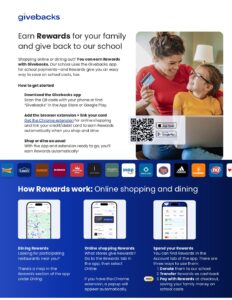
How To Get Started
- Download the Givebacks app
- Scan the QR code with your phone or find “Givebacks” in the App Store or Google Play.
- Add the browser extension + link your card
- Get the Chrome extension for online shopping and link your credit/debit card to earn Rewards automatically when you shop and dine.
- Shop or dine as usual
- With the app and extension ready to go, you’ll earn Rewards automatically!
How Rewards work: Online shopping and dining
- Dining Rewards – Looking for participating restaurants near you? There’s a map in the Rewards section of the app under Dining.
- Online shopping Rewards – What stores give Rewards? Go to the Rewards tab in the app, then select Online. If you have the Chrome extension, a popup will appear automatically.
- Spend your Rewards – You can find Rewards in the Account tab of the app. There are three ways to use them:
- Donate them to our school
- Transfer Rewards as cashback
- Pay with Rewards at checkout, saving your family money on school costs